How to Vet a Microvellum Drafting Service Before You Send a Project
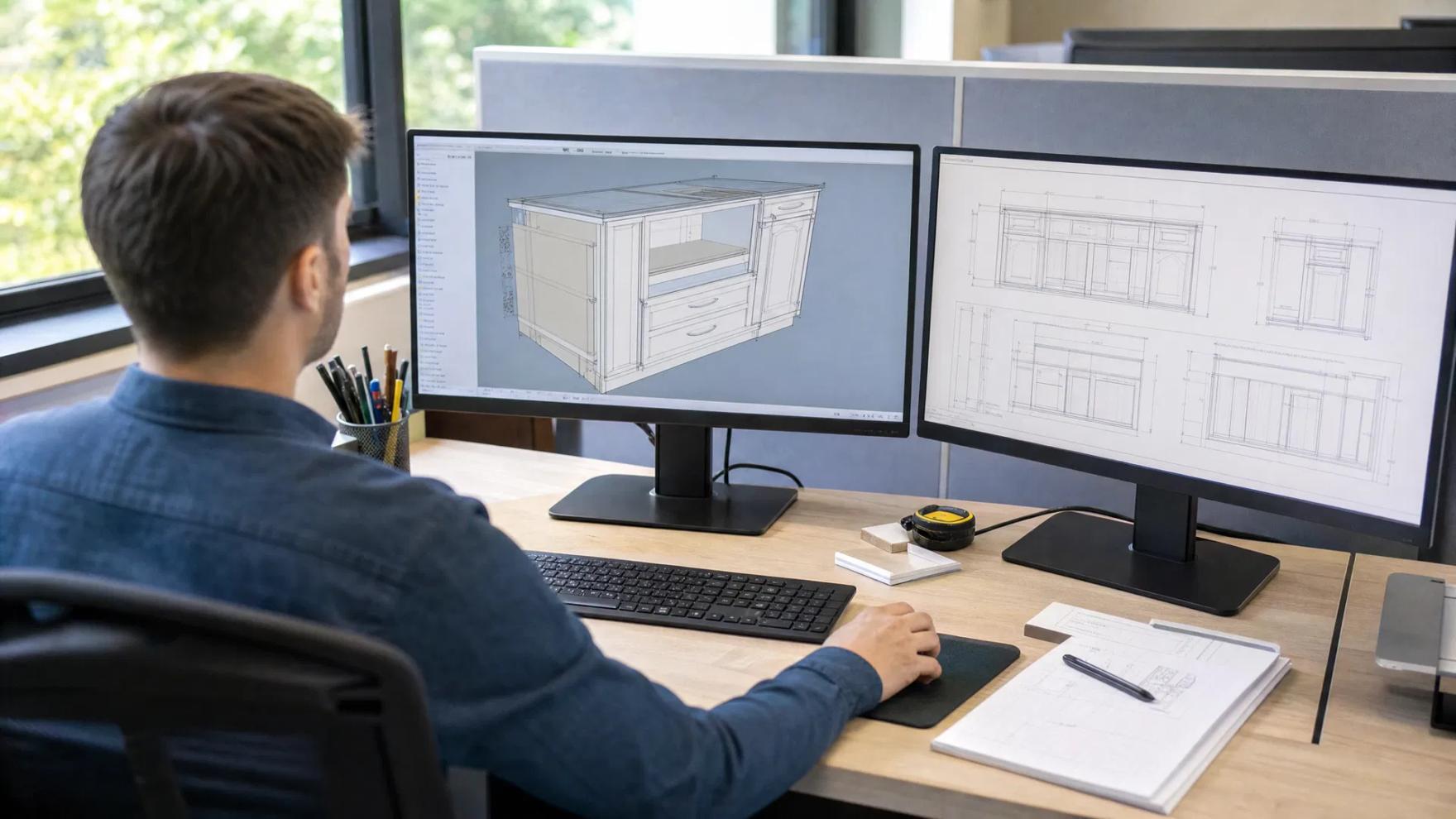
To vet a Microvellum drafting service, confirm that the vendor will work inside your library and configuration on a software version compatible with yours, define exactly where their responsibility ends (drawings, engineered project or machine output), identify who reviews each set, and get file ownership and confidentiality in writing. Then run a small paid trial and process the returned job yourself.
- Biggest risk
- A job drawn outside your library that looks finished but processes incorrectly
- First question
- Which Microvellum version and build do you run, and will you work in our configuration?
- Best evidence
- A small paid trial that you process and check on your own system
Outsourcing Microvellum work is different from outsourcing plain CAD drafting. A set of AutoCAD elevations is either drawn correctly or it is not, and you can tell by reading the sheets. A Microvellum job carries product data, materials, hardware and machining instructions behind the drawings, and that data can be wrong while every sheet looks right. The cost shows up later, at the saw or the router.
The questions below are meant to be asked of any vendor, including the one publishing this guide. None of them depends on taking a sales claim on trust. Each has an answer you can check.
What goes wrong with the wrong vendor
Most failed outsourcing arrangements in Microvellum trace back to a short list of causes:
- The job was drawn in the vendor's library, not yours. Construction, joinery, material names and hardware do not match your shop, so reports and machining have to be reworked or the job re-entered.
- Products were overridden by hand. To match an architect's detail quickly, a drafter edited geometry directly instead of setting it through the product. The drawing matches the detail; the processed part does not.
- The project would not open cleanly. The vendor worked on a different build or with different library data, and the returned project throws errors or silently falls back to defaults.
- Nobody checked buildability. The set was reviewed for drafting appearance, not for whether your floor can produce it with your machines and methods.
- Scope was assumed. You expected an engineered, processable job. The vendor priced submittal drawings.
Each section that follows addresses one of these.
Library, configuration and version
In Microvellum, the library and configuration define how your products are built. A vendor who does not use yours is producing drawings of someone else's cabinets. This is the first topic to cover and the one where vague answers matter most.
Questions to ask
- Will you work in a copy of our library and configuration, and how do you receive and install it?
- Which Microvellum version do you run: the AutoCAD-based AC version, the BricsCAD-based BSB bundle, or the retired OEM version? Which build?
- If our build is older or newer than yours, how do you handle that?
- When a detail cannot be produced by an existing product, what do you do: modify the product, build a new one, or draw it as plain geometry? How is that flagged to us?
- Do you ever change our library data? If so, how are changes documented and returned?
What good answers sound like
A capable vendor asks for your configuration before quoting, tells you their version and build without being asked twice, and has a defined method for custom items. Microvellum itself advises that workstations sharing data should be on the same software version, so a vendor who treats version as irrelevant has probably not exchanged many live projects. The platform question has become more pressing since Microvellum ended updates to the OEM version in 2025; our article on the Microvellum BricsCAD transition explains the versions now in circulation.
If you do not have a maintained library, say so. Some shops need drawings in a standard library and plan to engineer in-house later. That is a legitimate scope, but it should be a decision, not a surprise.
Machine output and the handoff point
Vendors often advertise "CNC-ready" files. The phrase means different things to different people, so define the handoff point precisely. There are three common ones:
- Approved drawings only. The vendor delivers the submittal set and revisions. Your engineers build or finish the Microvellum job.
- An engineered project. The vendor delivers the Microvellum project with products, materials and hardware set correctly in your library. You process it, generate machine code on your system and own the result.
- Processed output. The vendor also processes the job and sends nests, labels and machine code.
The second option is the most common safe arrangement, because machine code depends on your tooling, your machine settings and your post processor setup, all of which live in your environment and change over time. If a vendor offers the third option, ask how they obtained and maintain your machine setup, who is responsible if a program damages material or tooling, and whether you will still process a sample yourself to compare.
Whatever the handoff, ask the vendor to name your machines back to you and describe how your construction suits them: nested-based or not, which faces are machined, how hardware boring is handled. A vendor who never asks about your equipment is drafting, not engineering. Our article on CNC-ready millwork shop drawings covers what the drawings and data need to contain at this stage.
Review and accountability
Drafting capacity is easy to find. Review by someone who has engineered and built commercial millwork is not, and it is what you are paying for.
- Who reviews each set before it is sent, and what is that person's background?
- Is the reviewer someone other than the drafter?
- What does the review cover? Ask whether it includes the spec section, the applicable AWI grade, field dimensions, hardware schedules and the Microvellum data, or only the sheets.
- Can we see a redacted markup from a recent review?
- Will we have a named contact who knows our job, and can we reach the person who drew it?
- How are architect comments and resubmittals tracked from one revision to the next?
Ask for sample sets, with client information removed, that resemble your work in type and complexity. Read them the way a reviewer at the architect's office would. The errors listed in our guide to the top submittal mistakes are a reasonable test of whether a vendor's standard set would survive first review.
File ownership and confidentiality
Your library is an asset built over years, and your drawings contain your customers' projects. Get the following in writing before sending anything:
- Ownership. You own the deliverables, including native DWG files and the Microvellum project data, not only the PDFs.
- Your library. The vendor will use it only for your jobs, will not copy it into work for other clients, and will delete or return it on request.
- Confidentiality. An NDA is available and covers staff and any subcontractors. Ask directly whether work is subcontracted and where it is performed.
- Portfolio use. Your drawings will not be shown to prospects or published without permission.
- Storage and access. Where files are stored, who can access them, and how long they are retained after the job closes.
- Licensing. The vendor works on properly licensed software. Unlicensed copies are a legal problem and tend to be outdated builds, which brings back the version issue.
Scope, pricing and communication
A price is only comparable when the scope behind it is the same. Ask each vendor to quote against the same drawings and to state:
- What is included: sheet types, number of revision rounds, field-dimension updates, hardware and material schedules, and the handoff point defined above.
- How changes are priced when the architect revises the design after the estimate.
- Whether pricing is fixed or hourly, and if hourly, how hours are reported.
- Turnaround for the first submission and for revisions, measured from what starting event.
- How open questions are handled. A good vendor returns a list of conflicts and missing information early instead of guessing. See how to write a millwork RFI for what those questions should look like.
- Working hours and response time. Overlap with your project manager's day matters more than location alone, because a question that waits overnight costs a day.
As one reference point for what a clear answer looks like, Millmetric is a South Carolina company whose team works Eastern Time business hours. It returns a scoped fixed-price estimate within 24 to 48 business hours of receiving drawings, and puts every set through a senior review before delivery. Ask any vendor you are considering for the same specifics, and compare them on evidence, not on the summary.
How to run a low-risk trial
References and samples narrow the field. A trial on your own library decides it. Keep it small, real and paid, so that both sides treat it as production work.
- Choose a contained job. One room or elevation group with standard casework plus one or two custom items. Avoid your tightest deadline.
- Send a complete package. Architectural drawings, the specification section, your drafting standards, a sample set you consider good, and your library and configuration.
- Do not over-coach. Give the same information you would give a new in-house drafter and see what questions come back. The quality of the questions is part of the result.
- Review the drawings against your standards and the contract documents.
- Open and process the project yourself. Check for errors on opening, then compare cut lists, materials and hardware against what you would expect from the same job drawn in-house.
- Inspect a few products. Look for hand-edited geometry, overridden prompts and plain linework standing in for products.
- Issue one revision. Change a dimension or a finish and see how quickly and cleanly the set and the data are updated together.
- Record the hours your team spent answering questions and correcting the result. That figure, added to the invoice, is the real cost.
A vendor worth keeping will welcome this process and will ask for your feedback afterward. One that resists a small trial, or wants to skip your library "for speed", has answered the question for you.
Frequently asked questions
What is the most important question to ask a Microvellum drafting service?
Ask whether they will work inside a copy of your library and configuration, and which Microvellum version and build they run. A job drawn in another library, or on an incompatible build, can produce correct-looking drawings with product data, materials and machining that do not match how your shop builds.
Should an outsourced drafting service send G-code for my CNC machine?
Usually the safer arrangement is for the vendor to deliver an engineered Microvellum project in your library, which you then process on your own system. Machine code depends on your tooling, machine settings and post processor setup. If a vendor does supply processed output, define responsibility for errors and verify a sample yourself.
Who owns the files when I outsource millwork shop drawings?
Ownership is set by your agreement, so state it in writing before work begins. A reasonable agreement gives you the native DWG files and Microvellum project data as well as PDFs, limits the vendor's use of your library to your jobs, and prohibits reuse or publication of your drawings without permission.
How should I test a new Microvellum drafting vendor?
Run a small paid trial on a real but non-critical job using your own library. Review the drawings against your standards, then open and process the returned project yourself and compare reports with your expectations. Issue one revision to see how changes are handled, and track the hours your team spent supporting the work.
Send the architectural drawings and specs. You get a fixed scope and price back within 24–48 business hours, before any drafting starts.
Get an Estimate →